


MonsterWin Casino Mobile App & APK
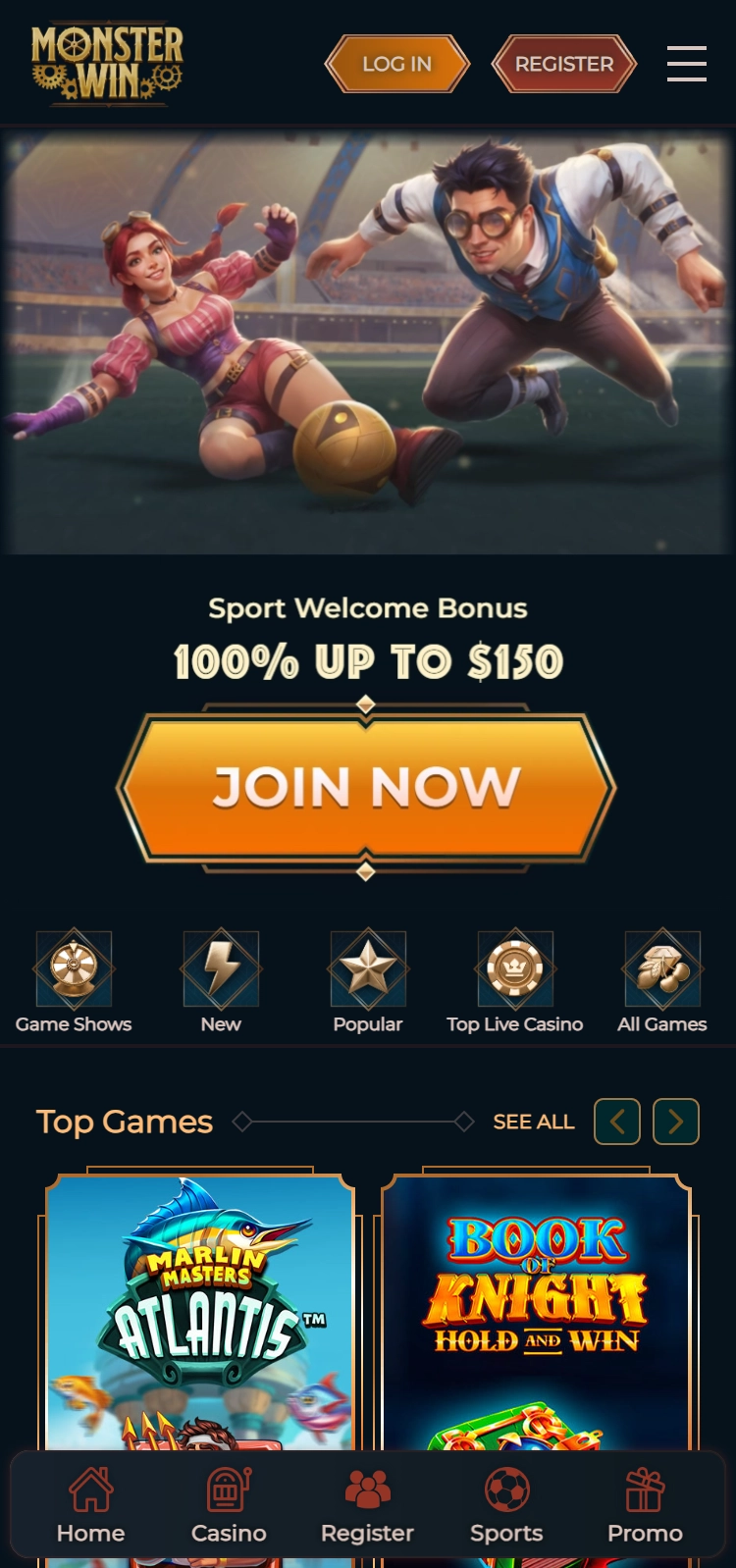
The MonsterWin Casino app offers a seamless and thrilling mobile gambling experience. Players can enjoy a wide range of casino games directly on their smartphones, making it one of the best mobile casinos available today. With easy navigation and fast performance, the MonsterWin Casino mobile version is designed for compatibility across various devices. Whether you’re a seasoned player or a beginner, the app ensures smooth gameplay and exciting bonuses. It stands out as a top choice for mobile gaming enthusiasts looking for a convenient and reliable platform to play their favourite casino games anytime, anywhere.
MonsterWin Casino iOS App Download from the App Store
For iOS users, downloading the MonsterWin Casino app is a simple process. This secure casino app provides an excellent mobile gambling experience, compatible with iPhones and iPads. Before installing, ensure your device runs iOS 10.0 or later. Once the prerequisites are met, follow the steps below to get started with mobile blackjack and roulette, and other exciting casino games on the go.
Steps to download and install the app on iOS
- Open the App Store on your iPhone or iPad.
- Search for the “MonsterWin Casino app” in the search bar.
- Tap the download button to begin the installation process.
- Once installed, open the app from your home screen.
- If you’re a new user, sign up with your details; if not, simply log in using your existing credentials.
- Start enjoying your favourite casino games with secure transactions and seamless gameplay.
By downloading the app, you gain access to a wide array of gaming options, all from the convenience of your device. The app ensures high-level security, protecting user information while offering a smooth experience. Whether you’re looking to enjoy classic games or explore new ones, the MonsterWin Casino app offers it all on your iOS device.
MonsterWin Casino Android APK: Secure Download & Install
For Android users, downloading and installing the MonsterWin Casino apk ensures a smooth and secure mobile gambling experience. Unlike Play Store downloads, this method requires a few extra steps to ensure safety and compatibility. The installation process involves enabling “Install from Unknown Sources” in your device’s settings to allow the casino apk download. Below are the steps to safely install the app while maintaining device security and performance.
Steps to download and install the app on Android
- Visit the official MonsterWin Casino website to download the APK file.
- Open your device settings and enable “Install from Unknown Sources” under Security.
- Locate the downloaded APK file in your file manager and tap on it to begin installation.
- Allow the app to request necessary permissions for proper functioning.
- Once the app is installed, open it and sign in or register for an account.
- Ensure that you regularly update the app to maintain its security and optimal performance.
Downloading the MonsterWin Casino apk from official sources ensures you get the latest features and updates. The app offers robust security features, protecting your data while providing an excellent mobile gaming experience. By following these steps, you can enjoy Android casino apps safely, without compromising on performance or functionality.
MonsterWin Casino Exclusive Mobile Promotions
MonsterWin Casino mobile users can take advantage of a variety of exclusive promotions that are only available through the app. These offers include generous welcome bonuses, ongoing promotions, and special VIP rewards. Players who download the app can access these deals directly from their smartphones, ensuring they don’t miss out on time-sensitive bonuses and rewards.
Top mobile-exclusive promotions
- Welcome bonus for new users – receive a substantial bonus upon signing up and making your first deposit.
- Weekly reload bonuses – keep playing with regular offers for additional funds every week.
- VIP loyalty rewards – accumulate points as you play and unlock exclusive perks and prizes.
- Special mobile-only tournaments – participate in real money casino games and win big prizes available only to app users.
To activate these promotions, simply log in to the MonsterWin Casino mobile app and follow the instructions on the promotions page. Be sure to check the terms and conditions to ensure eligibility for each offer.
MonsterWin Casino Troubleshooting & Support on Mobile
If you’re encountering issues with the MonsterWin Casino app, there are several troubleshooting steps you can follow to resolve common problems. Whether it’s loading errors, update failures, or login difficulties, the app is designed with user experience in mind, and solutions are often simple to apply.
For issues such as failed app updates, the first step is to ensure you have the latest version of the MonsterWin Casino app installed. If the update fails, try clearing your device’s cache or reinstalling the app. For login problems, ensure your internet connection is stable and check that you are entering the correct credentials. If the issue persists, resetting your password may help.
If problems continue, the MonsterWin Casino app offers reliable support options. You can contact customer support through live chat, which is available 24/7 for immediate assistance. Alternatively, you can email the support team with your query, and they will respond as quickly as possible. Users can also leave feedback through the app or website, helping the team address any issues that might affect gameplay or user satisfaction.
MonsterWin Casino values user reviews and ensures that feedback is actively used to improve the gaming experience. The support team works diligently to handle any concerns related to gameplay, security, or fast payouts. All reported issues are taken seriously, and regular updates are rolled out to enhance app stability and performance. Whether you’re seeking help with app functionality or simply want to provide feedback, customer support ensures a smooth and secure experience for all users.